Stop Buying Leads. You Have $10k Sitting in Your Dead CRM Contacts.
You are stressed about lead flow. You are probably considering running ads.
Meanwhile, you have 500 past clients and dead leads sitting in a spreadsheet doing nothing. Every day they sit there, they forget about you.
Before you buy new attention, mine the attention you already own. Here is a 3-step system to reactivate dead contacts and generate real revenue without spending a dime on advertising.
Key Takeaways
Most small businesses have a database problem, not a lead problem.
At any given time, only 3% of your market is actively buying. Database reactivation targets the 70% who showed interest but didn't buy yet.
SMS is the primary channel for reactivation. Open rates are near 98%. Emails get buried.
Never blast your whole list at once. Send 50-100 contacts per day to stay compliant and manageable.
Do not include a link in the first message. Your only goal is to get a "Yes" or "No" reply.
Speed matters. Responding within 5 minutes dramatically increases your contact rate.
The Problem with "New Lead" Obsession
Most small business owners think they have a lead problem. They don't. They have a database problem.
They treat their CRM like a digital graveyard. A lead comes in, they follow up twice, and if the person doesn't buy immediately, they are forgotten forever.
This is a mistake.
Think about what researchers call the "buyer pyramid." At any given time in your market:
3% of people are active buyers right now.
7% intend to make a change soon.
90% are not ready or not interested.
When you only focus on new leads, you fight everyone else for that 3%. When you ignore your database, you ignore the 70% of people who showed interest but just weren't ready yet.
Database reactivation is a warm, outbound play. It targets the people who already know you. This lowers the trust barrier and increases your conversion rate. No ad spend required.
Here is what that looks like in practice. A gym running a database reactivation campaign on 1,000 old leads went from 20 new members in their slowest month to 100 new members that same month. No ads. No new leads. Just a simple message to people who had already shown interest.
A boxing studio sent one reactivation campaign in December, historically their deadest month, and booked over 400 new appointments with zero ad spend. They became the number two location in their entire franchise network that month.
The revenue was already in the database. They just had to ask for it.
The 3-Step Database Reactivation System
You don't need complex software. You just need a clean list, a strong offer, and a simple system to handle the replies.
Here is exactly how to do it.
Step 1: The Great Cleanup (Segmentation)
Do not blast your entire list with the same message. That gets you marked as spam.
First, gather your contacts from everywhere. Pull from your CRM, old spreadsheets, QuickBooks, your point-of-sale system, and past email inquiries. Most business owners are shocked by how many contacts they actually have once they look in all the right places.
Second, clean the data before you send anything. Remove duplicates, landlines, and fake numbers. Bad data doesn't just waste your time. It damages your sending reputation and can get your number flagged by carriers.
Bonus: use tools like Phone Validator to see if the phone number is a cell phone, VOIP, or home phone before you waste resources texting a phone number. Also use something like NeverBounce to validate emails, only use the emails that pass.
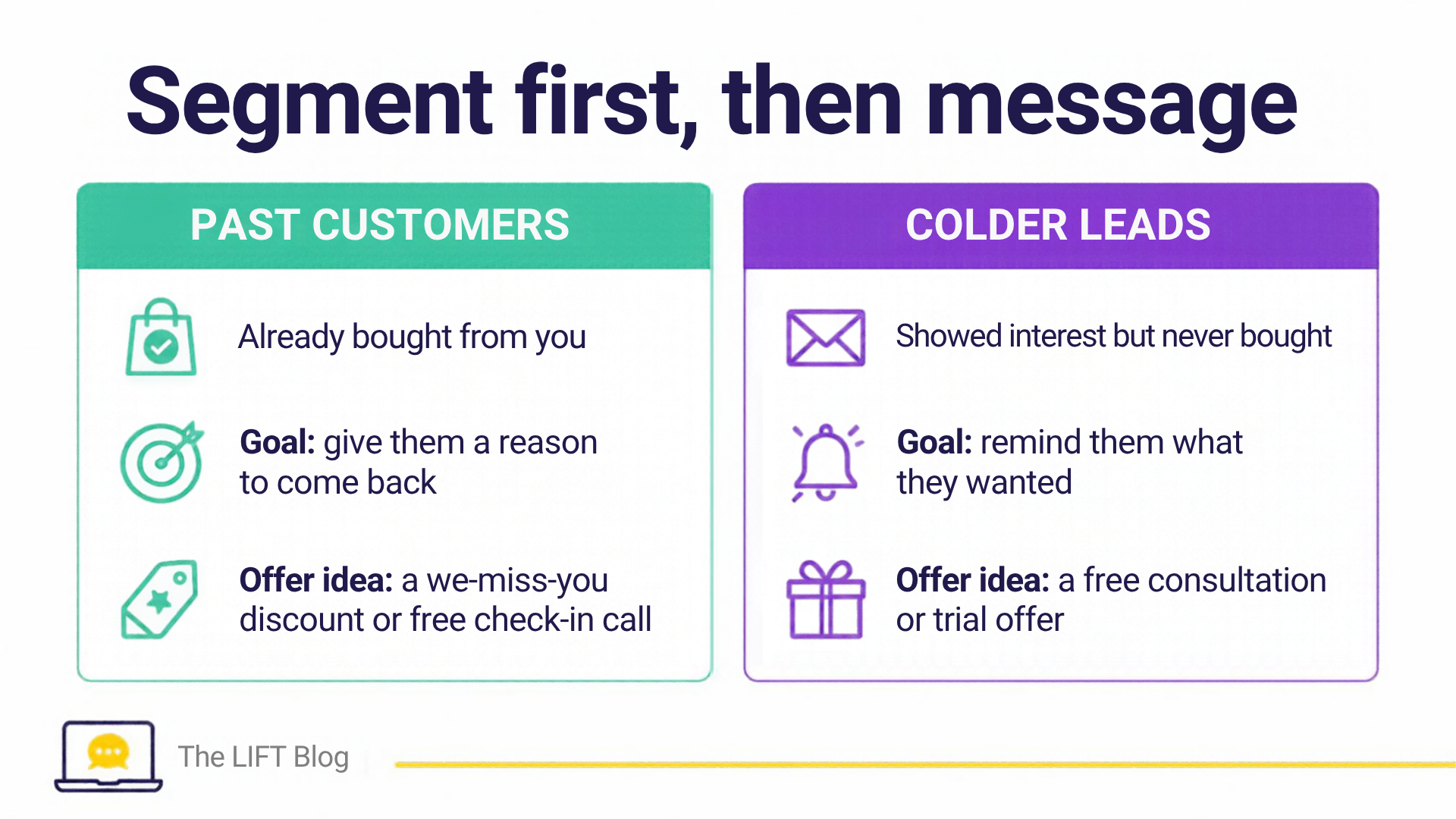
Third, segment the list into two buckets.
Your Goal With Past Customers: They already bought from you and know you. Give them a reason to come back.
Your Goal With Colder Leads: They showed interest but never bought. Remind them what they wanted.
These two groups need different messages. A past customer responds to familiarity and a "welcome back" offer. A cold lead responds to a reminder of the problem they were trying to solve.
Step 2: Craft a "No-Brainer" Offer
A 5% discount will not wake someone up from a six-month slumber. Your offer must be compelling enough to make them raise their hand immediately.
Think: a free consultation, a significant discount, a free trial, or an exclusive event. The offer needs to feel like a no-brainer, something they would feel silly saying no to.
The offer must also be simple enough to communicate in a single text message.
Here is why text is the right channel. SMS open rates sit near 98%, compared to around 20% for email. Emails get buried under newsletters and promotions. A text message gets read within minutes. When you are trying to re-engage someone who has gone quiet, you need to show up where they actually pay attention.
The proven script format:
"Hi [First Name], it's [Your Name] at [Your Business]. We are giving away a few [No-Brainer Offer] this week. Would you like one? Reply STOP to opt out."
That's it. Short, personal, and direct. The only goal of this first message is to get a reply.
Step 3: Send in Small Batches (And Do Not Include a Link)
Most businesses fail here. They load 2,000 contacts into a system, hit send, and either crash their phone lines or get flagged by carriers for spam.
Rule #1: Send in small batches. Send to 50-100 contacts per day maximum. This keeps your delivery rates high and ensures you can actually handle the replies without dropping the ball.
Rule #2: Do not put a link in the first message. Carrier filters treat links from unknown numbers as spam. Your only goal with the first message is to get a "Yes" or "No" reply. Send the link only after they respond.
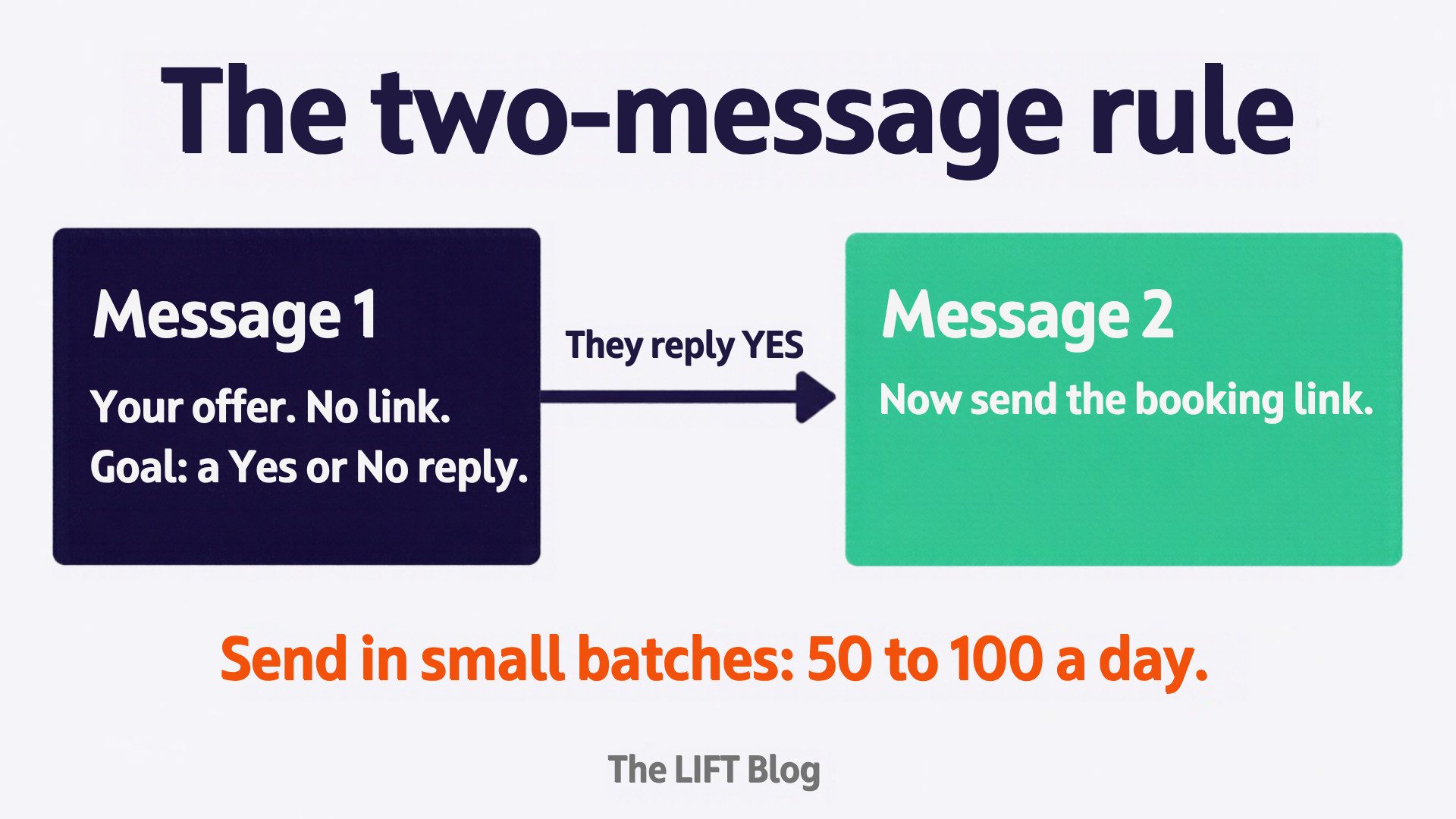
A good send schedule looks like this: 75 messages on Monday, 75 on Wednesday. That keeps you under the daily threshold, gives you time to respond to replies, and maintains a consistent presence without overwhelming your team.
The Triage System: What Happens When They Reply
Here is where most campaigns fall apart.
You send 100 texts with a great offer. Thirty people reply "Yes." And then you don't respond for two hours because you were in a meeting. By the time you get back to them, they have moved on.
Research on lead response time shows that responding within 5 minutes increases your contact rate significantly compared to waiting 30 minutes or more. The window closes fast.
You need a system to handle the influx. You can't be tied to your phone all day.
A proper CRM or a Conversational AI agent handles this automatically. When someone replies "Yes," the system recognizes it, sends the booking link or next step, and notifies you only when the appointment is confirmed. You stay in the loop without being the bottleneck.
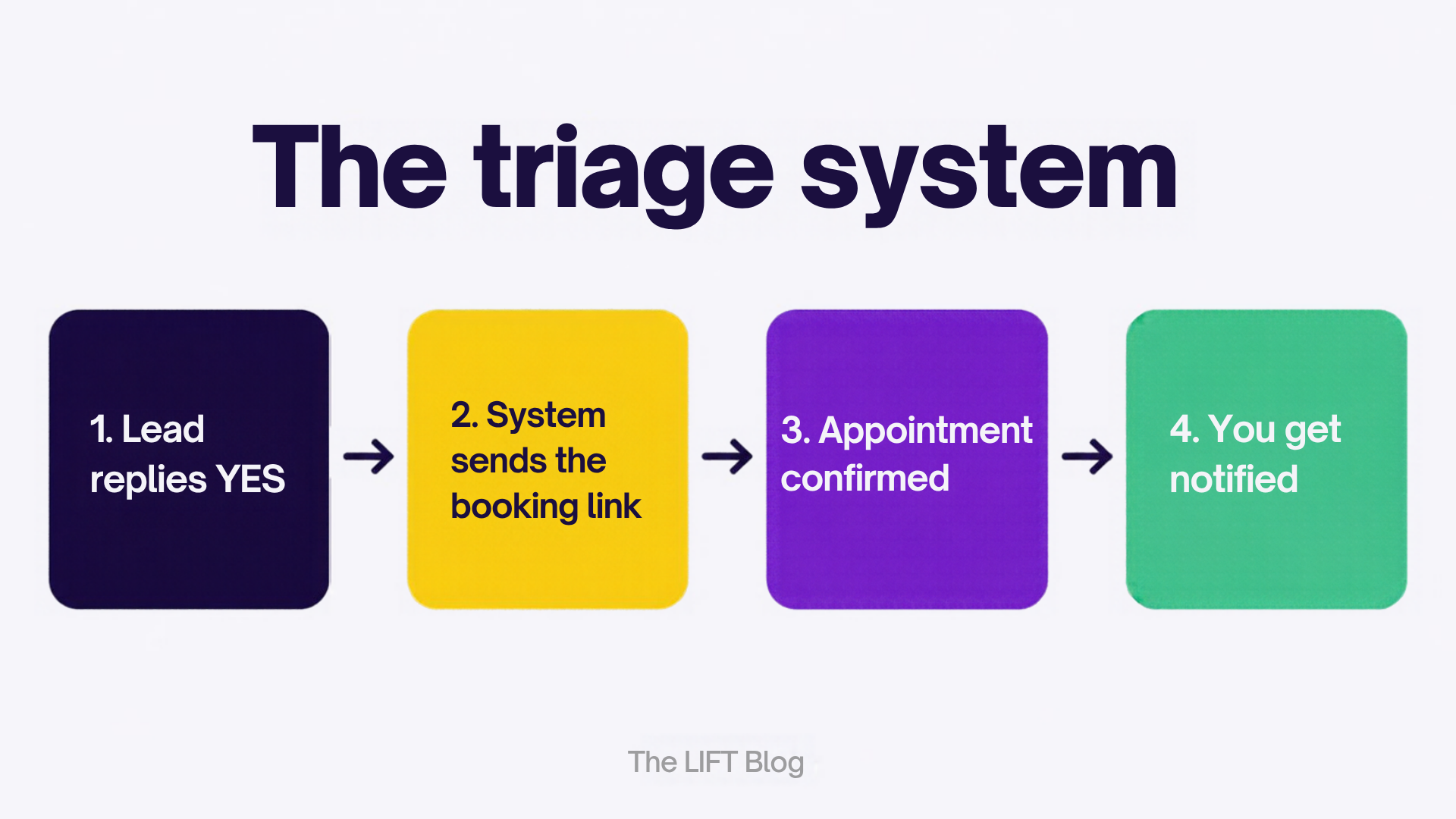
This is the piece most business owners skip. They run the campaign manually, get overwhelmed by replies, and then blame the strategy when the real problem was the lack of a follow-up system.
What This Looks Like in Your Business
Let's say you have 300 contacts in your CRM. You have not messaged most of them in over six months.
You clean the list. You end up with 200 usable contacts. You split them into past customers (80) and cold leads (120).
You craft two simple offers. For past customers: a "we miss you" discount or a free check-in call. For cold leads: a free consultation or a trial offer.
You send 75 messages on Monday. By Wednesday, you have 20 replies. Ten of them book appointments. That is a 13% conversion rate on a list you were about to abandon.
No ad spend. No new leads. Just a system applied to what you already had.
Your Database Is an Asset. Start Treating It Like One.
Before you spend another dollar on Facebook ads or buy another list of cold leads, look at what you already have.
Clean your list. Craft a strong offer. Send it in small batches. Handle the replies with a system.
The revenue is already there. You just have to ask for it.
Want to run this campaign but your contacts are a mess? See how LIFT CRM organizes your database and automates the follow-up so you never lose a lead again.
And if you want to see how an AI agent can handle the replies for you automatically, read about the Authentic Engagement Agent and how it works inside a live business.